Verification code not arriving? Check this before you buy again
Verification code not arriving on your virtual number? Check rate limits, the delivery channel, blocked number ranges and resend timing before you pay again.
5 min read
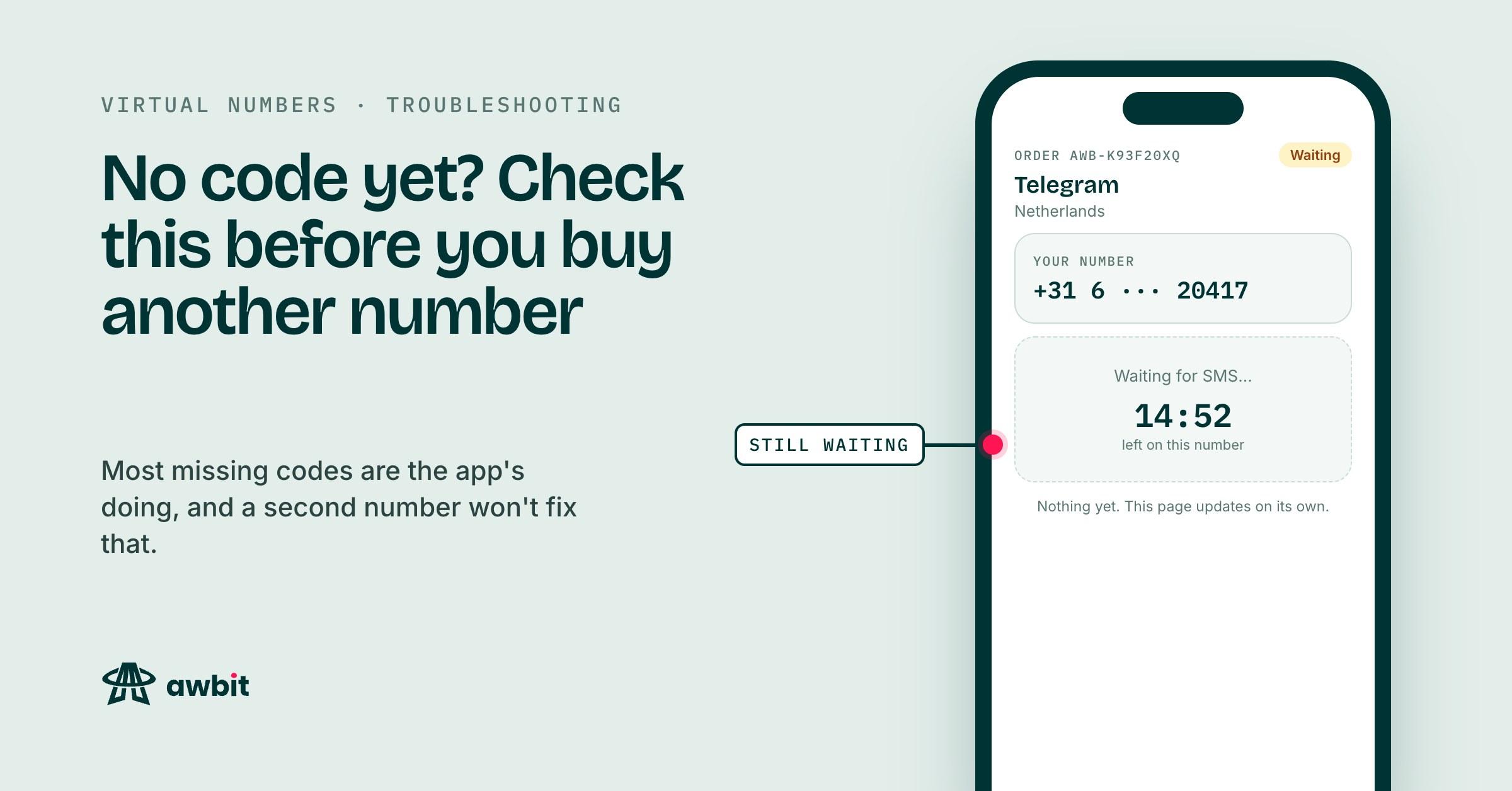
The app says it sent a code. The countdown on your order is running and the order page shows nothing. Buying a second number feels like doing something about it. Often it isn't, because whatever stopped the first code will stop the second one too. Work through these before you spend again.
Did the app send anything at all?
Read the app's screen first. Most apps show the number they sent the code to. Check every digit and the country code. If you pasted the number with its +44 into a field that already adds the country code, the app sent your code to a number that doesn't exist, or to someone else's. Fix it in the app. Your order stays open while the countdown runs.
Some apps check a number before they send anything and refuse it with an error. A refused number won't get a code however long you wait. Cancel the order on Awbit before a code arrives and the full amount goes back to your wallet. If the supplier won't release the number, the cancel fails and the order runs on until its countdown ends, where the refund rules further down take over.
Throttled
Apps limit how many codes they send in a given period, to one number and often to one device or connection. Tap resend four times in two minutes and you'll usually get a longer timer, or silence.
Some of those limits sit on the number. Others sit on your phone or your internet connection, and a fresh number runs into the same wall because the limit is attached to you. If the app has told you to wait, wait. A new number only helps when the limit sits on the number, and from the outside you can't tell which kind you've hit.
Your code may have gone to email or a call
Not every app sends the first code by SMS. Some send it to an email address on file or to the app on another device where you're already logged in. Others offer a voice call once the SMS timer runs out. If the number has been used on that app before, by anyone, the app may send the code to the old account's devices and wait for you to ask for an SMS.
Look for a link that offers SMS, usually under the code box or behind a didn't-get-the-code option. Awbit numbers are sold for SMS verification, and the order page lists the text messages the number receives. Choose SMS whenever the app gives you the choice.
Blocked ranges and wrong countries
Platforms keep lists of number ranges they won't accept or won't send to. A blocked range can fail quietly. The app says the code is on its way and nothing ever leaves. Nobody selling numbers, us included, can see a platform's block list, and it changes without notice. Which numbers a platform accepts is set by its own terms, and those are yours to check.
Country matters too. Some platforms only accept sign-ups from certain countries, and a number from outside that list gets refused or ignored. If the service you're verifying is tied to a region, buy the number from that region.
The fix for both is the same. Cancel before a code arrives, which returns the full amount, and buy in a different country. If the country you want is out of stock, try a nearby one or look again in a few minutes, because carriers release and withdraw numbers through the day.
Resending without making it worse
There's no resend button on Awbit. You trigger the resend inside the app you're verifying. Every SMS the number receives while its window is open is listed on the order page, and a second code shows up under the first.
Let the app's own timer finish before you tap resend. Many apps cancel the previous code when they send a new one, so if two codes land, use the newer one.
Watch the countdown on the order page as well. The page lists what arrives before the window closes, and a resend requested with a minute left can land after the number is gone.
How refunds work when nothing arrives
Every order is re-checked against its supplier every few minutes, whether or not you're watching. If the countdown reaches zero with nothing received, we cancel the number upstream and the charge is reversed to your wallet, with the order number on the entry in your transaction history. Once in a while the carrier rejects that cancel and the reversal can't happen on its own. Those orders land as expired and someone here settles them by hand. We email you when it's done, and if you'd rather not wait, mail support@awbit.io with the order number.
A code that arrives is final. Once one lands on the order, the service counts as delivered and the order isn't refundable, even if the app then rejects the account.
Our refund policy also says that requesting a code resend on a virtual number waives its automatic-refund eligibility. Awbit has no resend button, so there's no way to make that request to us. A resend you tap inside the app goes between that app and the number, and we can't see what you tap in another app. The automatic refund depends on whether an SMS came in before the window closed. If you want that confirmed for a particular order before you tap anything, email support with the order number.
Before you buy number two
- If the app never said it sent a code, fix the number or the country inside the app.
- If the app told you to wait, wait. A new number won't beat a limit attached to your device.
- If the app offered email or a call, find the SMS option and use that.
- If the app refused the number, or nothing came after one resend and a full timer, cancel the order and buy in a different country.