Buying an electricity token online, and when the meter rejects it
How to buy a prepaid electricity token online in Nigeria, check the account name before you pay, and what to do when your meter rejects the token.
5 min read
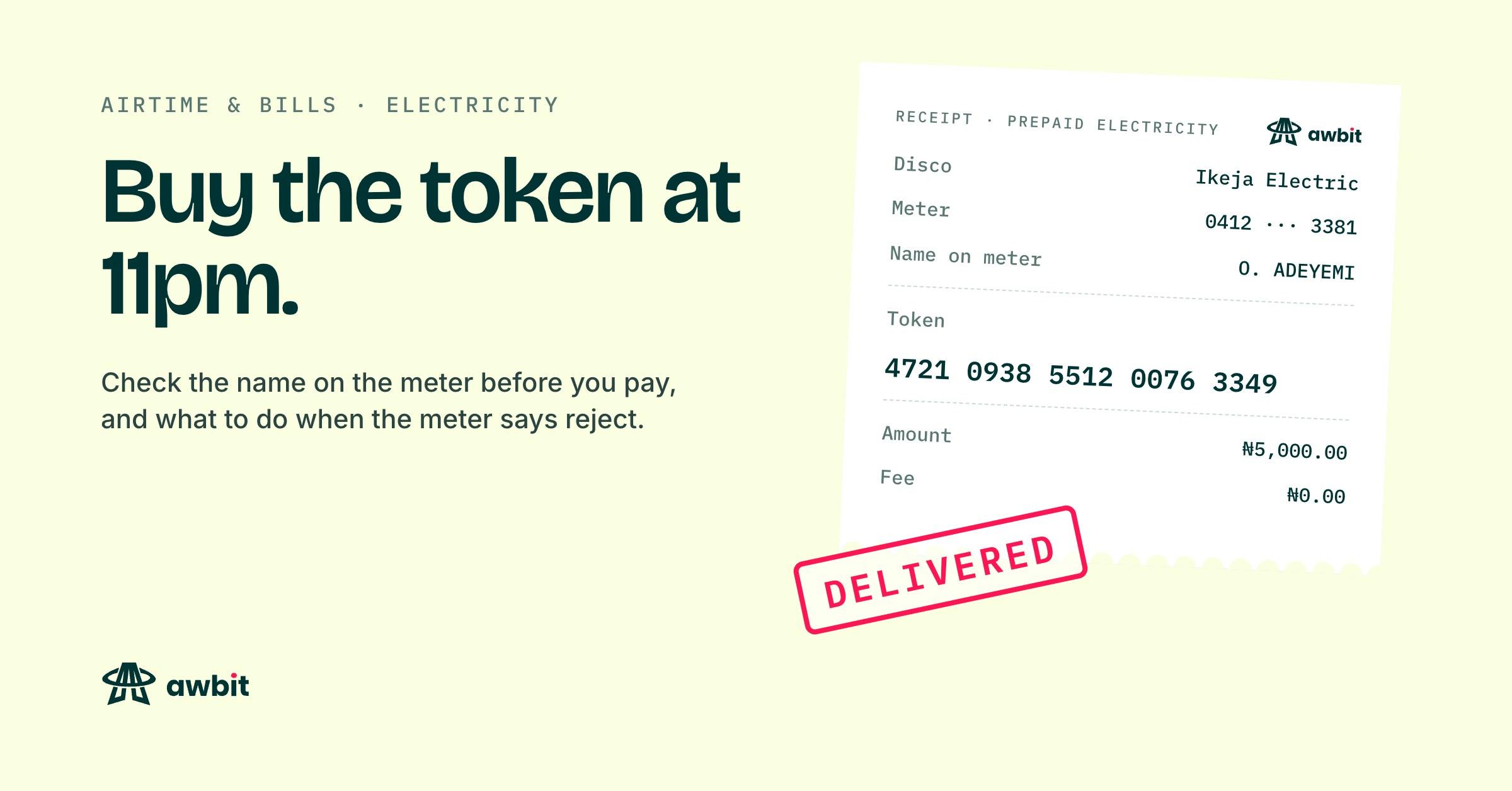
The meter has started beeping, the display says 3.1, and the vendor at the junction closed at 8pm. A token bought online is the same 20 digits the vendor's POS would have printed, and it goes into the same keypad. The difference is that nobody is standing there reading your meter number back to you, so the checking is yours to do.
Prepaid or postpaid?
A prepaid meter has a keypad, either on the meter itself or on a small unit somewhere inside the house, and it counts down units you paid for in advance. A postpaid account has no keypad and no token. The disco sends a bill for what you used, and your payment brings that balance down. If you have never typed a number into anything to get light, you are almost certainly postpaid, and nothing below about tokens applies to you.
Everything that follows is about prepaid meters.
Before you pay
You need two things. The meter number is printed on the meter, and it also sits on every old token receipt for that meter. The disco is the company that supplies your area, and its name is on the same receipts. Keep those receipts somewhere you can find them, because they also carry the name the meter is registered under, and you will want that in a minute.
Awbit's electricity list has six discos: Ikeja Electric, Eko Electric, Abuja Electric, Ibadan Electric, PHED and Kaduna Electric. If yours is not one of them, Awbit can't sell you a token for it, and you will need the disco's own channels or a vendor who covers it.
There is no fee on top of the amount you choose. The light bill sells at face value, so the number you type is the number that leaves your wallet.
Check whose name comes back
On Airtime & bills, you pick the disco and type the meter number, and the number is checked with the disco before you can pay. The name on the account comes back to your screen. Nothing has left your wallet at that point.
Read the name. In a rented flat it is often the landlord's, or a tenant who moved out years ago, and that on its own doesn't mean you typed anything wrong. What you are checking is that it matches the name on the last receipt for this meter. If a name you have never seen comes back, read the digits again. One wrong digit can match somebody else's live meter, and the check exists so you find that out before the money moves.
If you pay anyway, the token is made for that other meter. A completed token purchase is final on Awbit. The refund policy lists tokens delivered to the meter number you entered alongside airtime and TV renewals, and there is no button that pulls one back.
Typing in the 20 digits
The token lands on your receipt as soon as the disco responds. Most of the time that is quick, and occasionally it is not. If the disco rejects the payment, the charge goes back to your wallet, and the credit shows in your transaction history with the order number on it.
With the token on screen, go to the keypad, type all 20 digits, then press the key your meter uses to confirm. Its label varies by make. On a good night the meter accepts it and the units jump.
A mistyped digit gets refused. That doesn't use up the real token, so type it again, slowly, reading it in groups of four. If your phone's screen times out halfway, the receipt stays in your order history for good, so open the order and read it again.
Four reasons a meter refuses a token
If the same 20 digits get refused twice and you are sure of every one of them, it is usually one of these.
Bought for another meter
A token is generated for one meter number and works on that meter only. Compare the meter number on the receipt with the one on the meter. In a compound with two meters side by side, the upstairs flat's number is an easy one to type out of habit. If the numbers differ, the units belong to whichever meter the receipt names. Whoever has that meter can load the token. Awbit can't move it to yours.
A token works once
A meter keeps a record of the tokens it has accepted and refuses any of them typed a second time. The message it shows depends on the make. If someone else in the house loaded it this morning, the units are already on the meter, so check the credit before you decide the token failed.
Key change tokens
Every so often a disco has to change settings inside the meter, such as the tariff it charges or the key that tokens are encrypted with. It does that with key change tokens, two extra 20-digit codes. The pair goes in first, in order, and the token you bought goes in after them. Until a meter has them, it refuses new tokens.
Prepaid meters across Nigeria needed this in late 2024. The token identifier used by STS meters, the standard these tokens are built on, ran out on 24 November 2024, and meters had to be moved to a new base date with key change tokens. A meter that never got that update still rejects new tokens. Key change tokens are issued by your disco for your meter number. Discos sometimes issue them alongside a token purchase. If your receipt shows none and the meter keeps refusing, ask the disco for them.
Past what you can fix from the keypad
If the indoor keypad shows nothing at all, check its batteries, since some of these units run on them. If it is lit but has lost contact with the meter outside, or the meter shows an error code your tokens have never produced before, the problem is the hardware. That needs the disco, and retyping won't change it.
What the disco needs from you
Call or visit with the meter number, the token, the date and time you bought it, and the amount. The disco's vending system keeps a record of the tokens generated for your meter, so they can tell you whether this one was made for it and whether your meter is still waiting on key change tokens.
Awbit can't see inside your meter or issue key change tokens, so a token that arrived and won't load is a question for the disco. A token that never arrived is Awbit's to chase. Write to support@awbit.io with the order number, which starts AWB-, and someone will look it up.